
Drag and Drop Manager v2.0 released!
A new version of my open source project, the Silverlight Drag and Drop Manager, has just been released on CodePlex.
This is a major release, including various bugfixes, performance enhancements and loads of new features, including the ability to customize the return & switch-animations with easing & duration, the ability to customize the DropBorderBrush, a DropMode-property defining what should happen when you drop a DragSource, an AllowAnyDropTarget-property (so you don’t have to manually add a list of valid DropTargets for each DragSource), a DragHandleMode-property, and many more.
Version 2.0 comes in 2 flavours: binaries for SL2 and binaries for SL3, including an updated sample application in the SL3 version. If possible, I’d advise you to use SL3 (it allows for easing animations with the Drag and Drop manager), but if you’ve still got a project in SL2 that’s been using a previous release of this software, you can safely upgrade.
For an all new example application, all the details, downloads, … one stop!
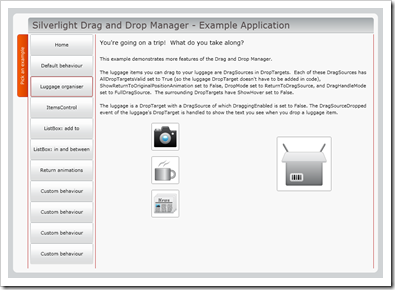
A full list of changes can be found on that CodePlex site, but for reference, here’s the list:
On DragSource:
- Added property: AllDropTargetsValid:
When this is set to true, all droptargets on the page will be valid for this dragsource. The droptarget-list-property will effectively be ignored when this is set to true (default: false) - Added property: AutoFitGhost:
Determines wether or not to auto-fit the ghost control. It this is true, the ghost (if available) will be resized to match the content (default: false) - Added property: DragHandleMode:
This property determines how you can drag your dragsource around: by using a draghandle (a bar on top of your dragsource), or without one, meaning you can drag by clicking anywhere in the dragsource - Added property: DropMode:
Determines the behaviour when a dragsource is dropped, and the drop is valid: by default, the dragsource is dropped on the droptarget. If you set DropMode to “ReturnDragSource”, the dragsource is returned to where it originated from. This mode can be useful if you just want to execute some code on dropping (dragsourcedropped event on droptarget is triggered and can be handled if you add a handler to it), but you do not want the dragsource to be removed from the originating collection. - Added property: ReturnAnimationDuration:
Determines the length of the animation shown when returning a DragSource to its original position (default: 0.2) - Added property: ReturnAnimationEasingFunction:
Determines the easing function of the animation shown when returning a DragSource to its original position (default: none, Silverlight 3 (or higher) required) - Added property: SwitchAnimationDuration:
Determines the length of the animation shown when switching 2 DragSources (default: 0.2) - Added property: SwitchAnimationEasingFunction:
Determines the easing function of the animation shown when switching 2 DragSources (default: none, Silverlight 3 (or higher) required) - Changed property: GhostVisibility:
Changed ShowGhost (bool) to GhostVisibility (Visibility). Determines wether or not the ghost control should be shown (default: Visible)
On DropTarget:
- Added property: AllowPositionSave
Determines wether or not the position of a droptarget should be saved. Setting this option to true results in a significant increase in performance: in regular mode (when this property is false), droptarget positioning is calculated on the fly while dragging a dragsource. When this is set to true, it’s only calculated when the droptarget is loaded. Do keep in mind that setting this to true will result in strange behaviour if the droptarget hasn’t got a fixed position on screen (eg: when the droptarget itself can be moved around). However, you can recalculate this position by hand by calling the “RecalculatePosition”-method on the droptarget! This option is advised when you have lots and lots of droptargets on one screen – in other cases, it shouldn’t be necessary. - Added property: DropBorderBrush:
The brush for the drop border - Added property: DropBorderCornerRadius:
The cornerradius of the drop border - Added property: DropBorderThickness:
The thickness of the drop border - Changed property: GhostVisibility:
Changed ShowGhost (bool) to GhostVisibility (Visibility). Determines wether or not the ghost control should be shown (default: Visible)
Bugfixes:
- Extra checks to make sure all borders are removed when hovering is stopped – in some cases, the drop target would stay in “hovered”-mode even after the drag source had been dropped.
- Sometimes, the animation used when switching 2 elements’ position would let the elements go “underneath” other elements on the page. This is now fixed, moving elements are always on top.
- When clicking an element to start dragging, you’d sometimes loose the ability to drag. This shouldn’t happen anymore.
- Various other small (performance) improvements and bugfixes.

